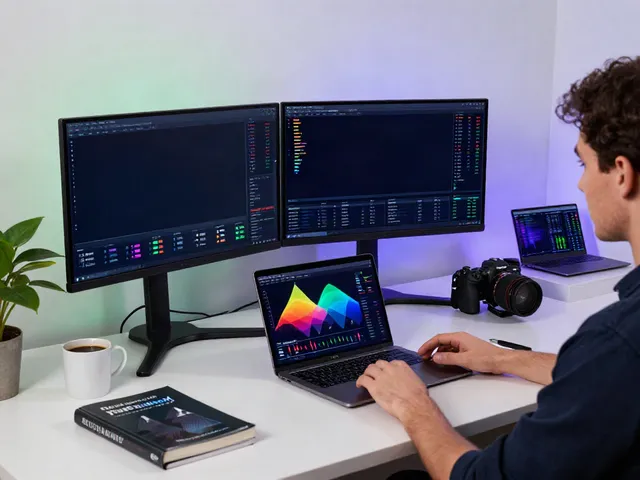
Understanding MetaTrader 5: The Essential Features
MetaTrader 5 is rapidly becoming the go-to platform for financial traders across various markets including forex, stocks, and futures. This advanced trading platform not only allows users to execute trades but also provides a comprehensive set of tools for analysis, making it ideal for both novice and professional traders. In a world where technology has transformed finance, MetaTrader 5 sits at the forefront, offering a robust environment for trading strategies and market analysis.
What is MetaTrader 5 and How Does It Work?
MetaTrader 5 (MT5) is an electronic trading platform developed by MetaQuotes Software. As a successor to MetaTrader 4 (MT4), it includes several enhancements that make it superior in many aspects. MT5 is tailored for trading in various financial markets and offers functionalities such as algorithmic trading, technical analysis, and running multiple accounts. It employs a client-server architecture that allows users to connect to brokers and execute trades in real-time.
With a user-friendly interface, traders can navigate through the platform efficiently. Whether you are placing orders, monitoring market fluctuations, or analyzing data, MT5 ensures that everything is accessible and straightforward. Furthermore, it supports over 21 timeframes for analysis, which enables traders to fine-tune their strategies according to their specific needs.
Key Features of MetaTrader 5 for Efficient Trading
One of the standout features of MetaTrader 5 is its comprehensive technical analysis tools. The platform offers:
- Advanced charting capabilities with various indicators.
- Integration of fundamental analysis tools for market news monitoring.
- Support for algorithmic trading through the MQL5 programming language.
- Multiple order types, including market orders, pending orders, and stop orders.
- Virtual hosting for uninterrupted trading strategies.
These features collectively allow traders to execute their trading plans more effectively while managing risk with various strategies.
Comparing MetaTrader 5 with Other Trading Platforms
When comparing MT5 with other trading platforms such as NinjaTrader or cTrader, it’s important to note the advantages it offers. Unlike many platforms, MT5 supports both trading and analysis within a single interface. Moreover, its ability to handle a broader range of markets—Forex, stocks, and commodities—gives it a competitive edge over platforms that may specialize in only one market type. The intuitive design and rich feature set make it easier for both seasoned traders and beginners to find their way around.
Getting Started with MetaTrader 5: Installation and Setup
To leverage the full potential of MetaTrader 5, users need to go through a simple installation and setup process. This guide outlines the steps necessary to get started effectively.
Step-by-Step Guide to Install MetaTrader 5
Installing MetaTrader 5 is straightforward. First, you need to visit the official website or your broker's site to get the installation file. Here’s how to proceed:
- Download the installation file for your operating system (Windows, macOS, or mobile).
- Run the installation file and follow the on-screen instructions.
- Once installed, launch the application and select ‘Open Account’ to set up a new trading account.
After installation, you will find that the setup process is user-friendly, guiding you through account creation and necessary configurations.
Setting Up Your Trading Account on MetaTrader 5
To set up your trading account, you need to follow certain steps:
- Choose between a demo or live account based on your experience level.
- Fill out the required information and submit it for verification.
- Once verified, fund your account through the broker’s specified methods.
Make sure to read and understand the broker's terms and conditions before proceeding with live trading.
Essential Customizations for Optimal User Experience
Achieving an optimal user experience on MetaTrader 5 involves making a few client-side customizations:
- Customize your charts by choosing preferred indicators and timeframes.
- Set up alerts to stay updated on market movements.
- Organize your workspace by adjusting the layout and saving your chart setups.
These customizations ensure that the platform meets your personal trading style and needs.
Mastering Technical Analysis with MetaTrader 5
Technical analysis is vital for successful trading, and MetaTrader 5 provides tools that elevate this analysis to the next level.
Using Charting Tools and Indicators Effectively
MT5 comes equipped with a variety of charting tools that enable traders to analyze price movements efficiently. Users can choose from:
- Line charts, bar charts, and candlestick charts.
- More than 80 built-in technical indicators for thorough market analysis.
- Customizable charting periods that help in assessing short-term and long-term trends.
By leveraging these tools, traders can make informed decisions based on their market analyses.
Understanding Timeframes and Market Trends
The ability to analyze multiple timeframes simultaneously is another significant advantage of MetaTrader 5. This feature allows traders to:
- Identify potential market reversals by observing price movements across different timeframes.
- Ensure that their trading strategies align with both short-term and long-term trends.
- Use trend analysis to enhance trading strategy execution.
Implementing Technical Strategies in Your Trading
With the data obtained from technical analysis, traders can implement various strategies such as:
- Trend following strategies that capitalize on market momentum.
- Reversal strategies that take advantage of market corrections.
- Range trading strategies that exploit price fluctuations within established levels.
These strategies can be tailored using the insights gained from charts and indicators, allowing traders to approach the market with a stronger foundation.
Executing Trades: Strategies and Risk Management
Execution of trades is a crucial part of trading strategy, and MetaTrader 5 offers multiple ways to execute trades effectively.
Different Order Types and Their Uses
MetaTrader 5 supports several order types that cater to different trading styles, including:
- Market Orders: Execute trades immediately at the current market price.
- Pending Orders: Set conditions for future trades, allowing you to enter the market at a predetermined price.
- Stop Loss and Take Profit Orders: Protect profits and limit losses by defining exit points.
Understanding when to use each order type can make a significant difference in trading performance.
Risk Management Techniques Within MetaTrader 5
Risk management is fundamental to successful trading. Here are a few techniques supported by MT5:
- Position sizing that determines the amount of capital to risk per trade.
- Utilizing stop-loss orders to minimize potential losses.
- Diversification to spread risk across different asset classes.
By implementing these risk management strategies, traders can reduce the likelihood of devastating losses.
Creating and Testing Your Own Trading Strategies
One of the most powerful features of MetaTrader 5 is the ability to create and test custom trading strategies. Using the in-built Strategy Tester, traders can:
- Backtest their strategies against historical data to evaluate performance.
- Optimize parameters of their trading algorithms for improved results.
- Run simulated forward tests to assess real-time strategy performance.
This feature is invaluable for traders looking to develop unique strategies tailored to their trading style.
Exploring the Future of Trading with MetaTrader 5
The landscape of trading is continuously evolving, and MetaTrader 5 is at the cutting edge of these changes.
Emerging Trends in Algorithmic Trading (2026 and Beyond)
As algorithmic trading becomes increasingly prevalent, MetaTrader 5 is adapting to embrace these changes. With features that support automated trading and the development of custom expert advisors (EAs), the platform is equipping traders with tools to take advantage of high-frequency trading opportunities.
The Role of AI in Advanced Trading Strategies
Artificial Intelligence (AI) is transforming trading strategies by introducing predictive analytics that can anticipate market trends. MT5 is integrating advanced AI tools that help traders make more informed decisions. AI-driven indicators and market analysis can lead to improved trading outcomes.
What’s Next for the MetaTrader 5 Community?
The MetaTrader 5 community is active and growing, with ongoing discussions, workshops, and forums that foster collaboration among traders. Future updates are expected to enhance its capabilities further, ensuring that users remain at the forefront of trading technology.
Is MetaTrader 5 Suitable for Beginners?
Absolutely! MetaTrader 5 is designed with user-friendliness in mind, making it accessible for beginners. The extensive resources, including tutorials and community support, provide a strong foundation for novice traders to build their skills.
Can Traders Make Profits Using MetaTrader 5?
While profitability depends on various factors, including market conditions and individual strategies, many traders have achieved success using MetaTrader 5 by leveraging its analytical tools and robust features.
How to Enhance Your Trading Skills with MetaTrader 5?
Traders can enhance their skills through continuous learning, utilizing demo accounts for practice, and engaging with the community to share experiences. The addition of educational materials within the platform also supports skill development.
Is MetaTrader 5 Legal in All Regions?
Yes, MetaTrader 5 is legal in most regions, but traders should always check with their local regulations. This ensures compliance with financial authorities and brokers operating in their countries.
What Resources are Available for MetaTrader 5 Users?
Resources such as online forums, video tutorials, and community engagement platforms are available for all MetaTrader 5 users. Additionally, the platform itself offers user manuals and on-board tips for navigating its features.