Understanding TradingView: A Comprehensive Overview
In the fast-paced world of financial markets, having access to real-time data and analytics is crucial for traders and investors. TradingView has emerged as a leading platform, providing users with comprehensive market insights, advanced charting capabilities, and robust notification systems across multiple devices. This article delves into the features and functionalities that make TradingView a favored choice among market participants, whether novice traders or seasoned professionals.
What is TradingView?
TradingView is an advanced financial platform that offers a wide array of tools for market analysis, charting, and social networking. Founded in 2011, it has quickly become a go-to resource for millions of traders globally. The platform encompasses various asset classes, including stocks, forex, cryptocurrencies, and commodities, allowing users to track and analyze numerous markets in one place.
Key Features and Capabilities
TradingView is distinguished by its broad range of features tailored to enhance the trading experience:
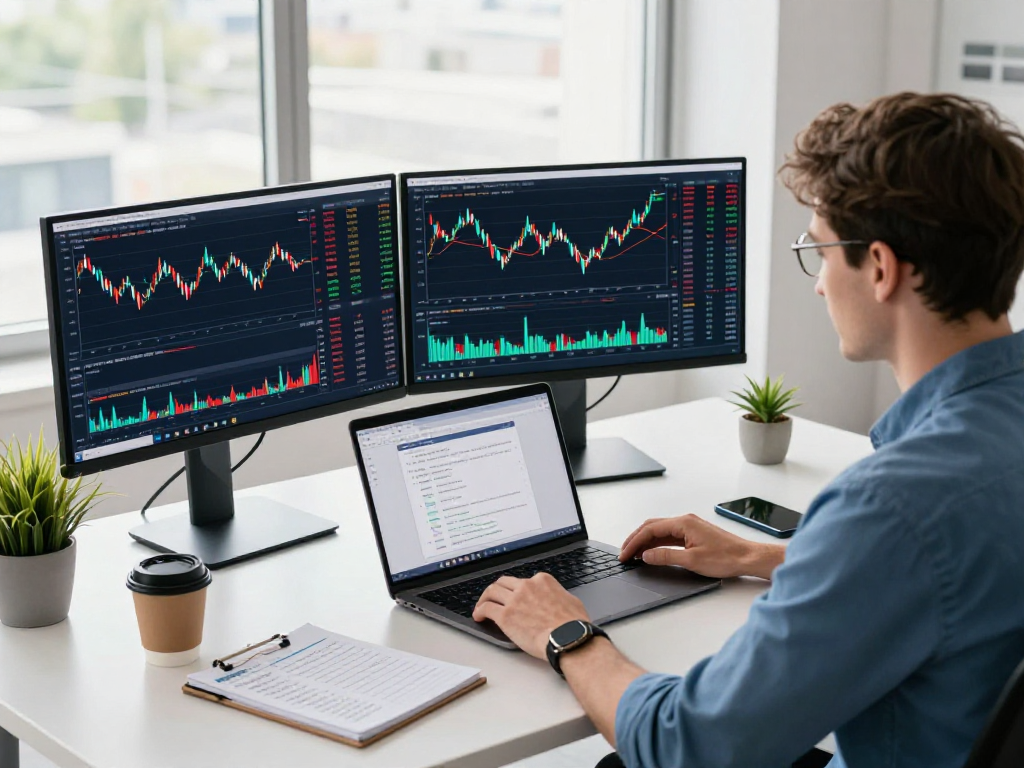
- Advanced Charting Tools: Users can access a multitude of chart types and technical indicators, enabling detailed analysis of market trends.
- Customizable Alerts: Set price and technical alerts to receive notifications that help streamline your trading decisions.
- Social Networking: Engage with other traders, share ideas, and explore community insights through integrated social features.
- Multi-device Accessibility: Whether you're on a desktop or mobile device, TradingView offers a seamless experience across platforms.
Why Choose TradingView for Market Analysis?
Choosing TradingView means opting for a platform that prioritizes user experience and comprehensive analytics. It offers powerful charting tools integrated with real-time data, making it essential for effective market analysis. The ability to create and customize alerts ensures that traders never miss critical market movements, thus enhancing potential trading outcomes.
In-Depth Charting Analysis with TradingView
Utilizing Multi-Timeframe Charting
One of the standout features of TradingView is its ability to analyze markets across different timeframes simultaneously. This multi-timeframe approach allows traders to identify trends and reversals effectively:
- Multiple Timeframe Views: Users can switch between daily, weekly, and even intraday charts, providing a holistic view of market movements.
- Timeframe Synchronization: Changes made to one chart can automatically reflect across other open charts, ensuring analysis remains consistent.
Custom Indicators and Drawing Tools
Customization is a key aspect of TradingView's charting tools. Users can create personalized indicators or select from a library of community-built tools:
- Variety of Indicators: Choose from hundreds of built-in indicators or scripts to enhance chart analysis.
- Drawing Tools: Utilize versatile drawing tools, including trend lines and Fibonacci retracements, to mark significant levels and patterns.
Setting Up Your Trading View Workspace
Creating an efficient workspace on TradingView is essential for maximizing productivity. Users can arrange charts, indicators, and scripts to suit their trading preferences:
- Custom Layouts: Save layouts for quick access to preferred setups without having to reconfigure charts each time.
- Workspace Organization: Organize charts and analysis tools to streamline workflow, especially beneficial for traders monitoring multiple assets simultaneously.
Leveraging Alerts and Notifications on TradingView
Setting Up Price Alerts Effectively
Being notified about price movements or specific technical conditions is crucial for timely trading decisions. TradingView’s alert system is highly customizable:
- Price Alerts: Set alerts for specific price points to be notified when stocks reach critical levels.
- Condition-Based Alerts: Beyond price levels, users can set alerts based on technical conditions, such as moving average crossovers or RSI levels.
Understanding Technical Alerts
Technical alerts provide an additional layer of analysis by notifying users of market changes based on technical indicators:
- Custom Alerts: Users can create alerts based on a combination of indicators and user-defined conditions, enabling tailored market tracking.
- Alert Management: Easily manage and modify alerts within the platform, ensuring that notifications are relevant and timely.
Integrating Alerts Across Devices
TradingView’s cross-device functionality means traders can receive alerts on-the-go:
- Mobile Notifications: Access alerts through the mobile app to stay informed even when away from your desktop.
- Real-time Updates: Synchronization across devices ensures that alerts remain consistent, allowing for seamless transitions between devices.
Cross-Platform Experience: TradingView on Any Device
Using TradingView on Desktop vs. Mobile
TradingView is designed to be responsive, offering an optimal experience regardless of the device:
- Desktop Experience: The desktop application offers robust tools and a large viewing area suitable for in-depth analysis.
- Mobile Application: While it retains core functionalities, the mobile app is optimized for use on-the-go, ensuring essential features are always at your fingertips.
Syncing Preferences Across Platforms
One of the most impressive features of TradingView is the ability to sync preferences across devices. Changes made on one device are automatically reflected on others:
- Account Synchronization: Keep your favorite indicators, chart settings, and alert preferences consistent across all platforms.
- Unified Interface: A consistent user interface across devices minimizes the learning curve when switching between platforms.
Best Practices for Multi-Device Trading
To maximize the benefits of TradingView's cross-platform experience, consider the following practices:
- Regular Syncing: Ensure your settings and preferences are regularly synced to avoid discrepancies between devices.
- Utilize Mobile Alerts: Leverage alerts on your mobile device to stay updated on market movements, especially when away from your trading station.
Future of TradingView in 2026: Trends and Innovations
Upcoming Features and Integrations
As TradingView continues to evolve, users can expect exciting new features aimed at enhancing the trading experience:
- AI and Machine Learning: Future implementations may include AI-driven alerts and predictive analytics to assist in decision-making.
- Enhanced Community Features: Improved collaboration tools to enable better sharing and discussions among traders.
Adapting to Market Changes with TradingView
The financial landscape is ever-changing, and TradingView is dedicated to keeping pace. By continuously updating its offerings, the platform ensures traders have access to the latest tools:
- Market Trends Integration: New features will likely include real-time data on emerging market trends and asset classes.
- Regulatory Compliance Tools: As regulations evolve, TradingView may introduce tools to help users stay compliant.
Success Stories: How Traders are Winning with TradingView
Many traders have shared success stories leveraging TradingView’s tools effectively:
- Increased Efficiency: Traders who utilize alerts and multi-timeframe analysis report improved decision-making speed and efficiency.
- Community Insights: Many users attribute their trading successes to the collaboration and knowledge-sharing capabilities within the TradingView community.
What is the unique selling point of TradingView?
TradingView’s unique selling point lies in its user-friendly interface combined with powerful analytical tools and a vibrant community of traders. This synergy allows users to analyze data effectively while participating in discussions that further enhance their trading insights.
What types of users benefit from using TradingView?
TradingView caters to a diverse audience, ranging from novice traders needing intuitive tools to seasoned professionals requiring advanced functionalities. Its flexible pricing plans also ensure that all users find a plan that suits their trading needs.
How does TradingView compare to other trading platforms?
Compared to other trading platforms, TradingView stands out with its extensive charting capabilities, customizable user experience, and strong community engagement, offering a holistic trading experience that many other platforms lack.
Is TradingView suitable for novice traders?
Absolutely. TradingView has been designed with user-friendliness in mind, making it accessible for novice traders. The availability of educational resources, tutorials, and community support further aids new users in their trading journey.
What are the pricing options for TradingView plans?
TradingView offers several pricing tiers, including a free plan with basic features, and paid plans that unlock more advanced tools and functionalities. Users can choose a plan based on their trading volume and analytical needs, ensuring flexibility and value.